
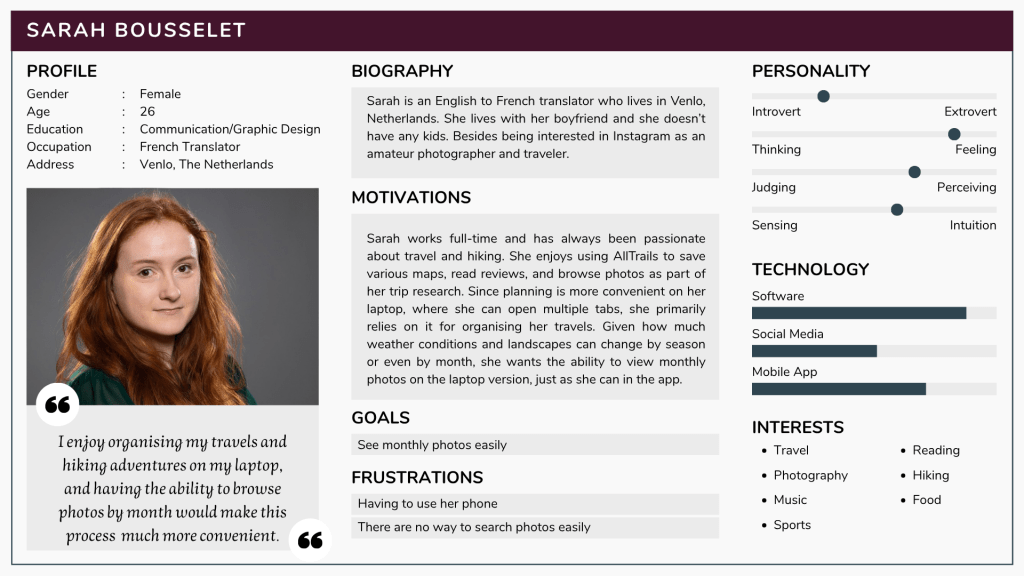
In this short UI project, I’m also trying to improve a small issue I’m encountering when using the desktop version of the hiking, mountaing biking, climbing, and snow sports app and website AllTrails. The app and desktop versions both allow users to access various trail maps, and includes crowdsources reviews and images. You can also access more ressources and options via a subscription status (being able to use the maps offline for example)
As a mobile app first, AllTrails naturally feels more user-friendly on the app version and offers more options.
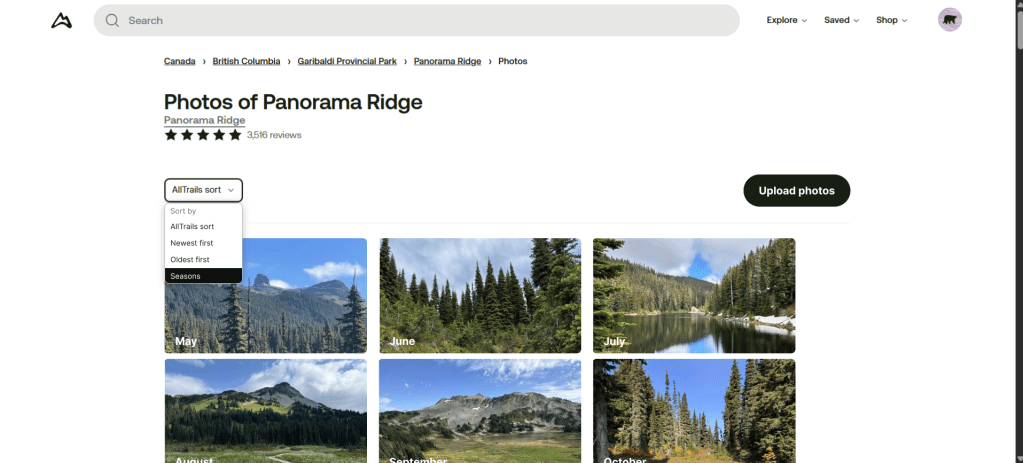
There is particularly one issue that I feel would be great to have on the website: the possibility to view images based on their seasons, or months of the year.
The current mobile app looks like this:
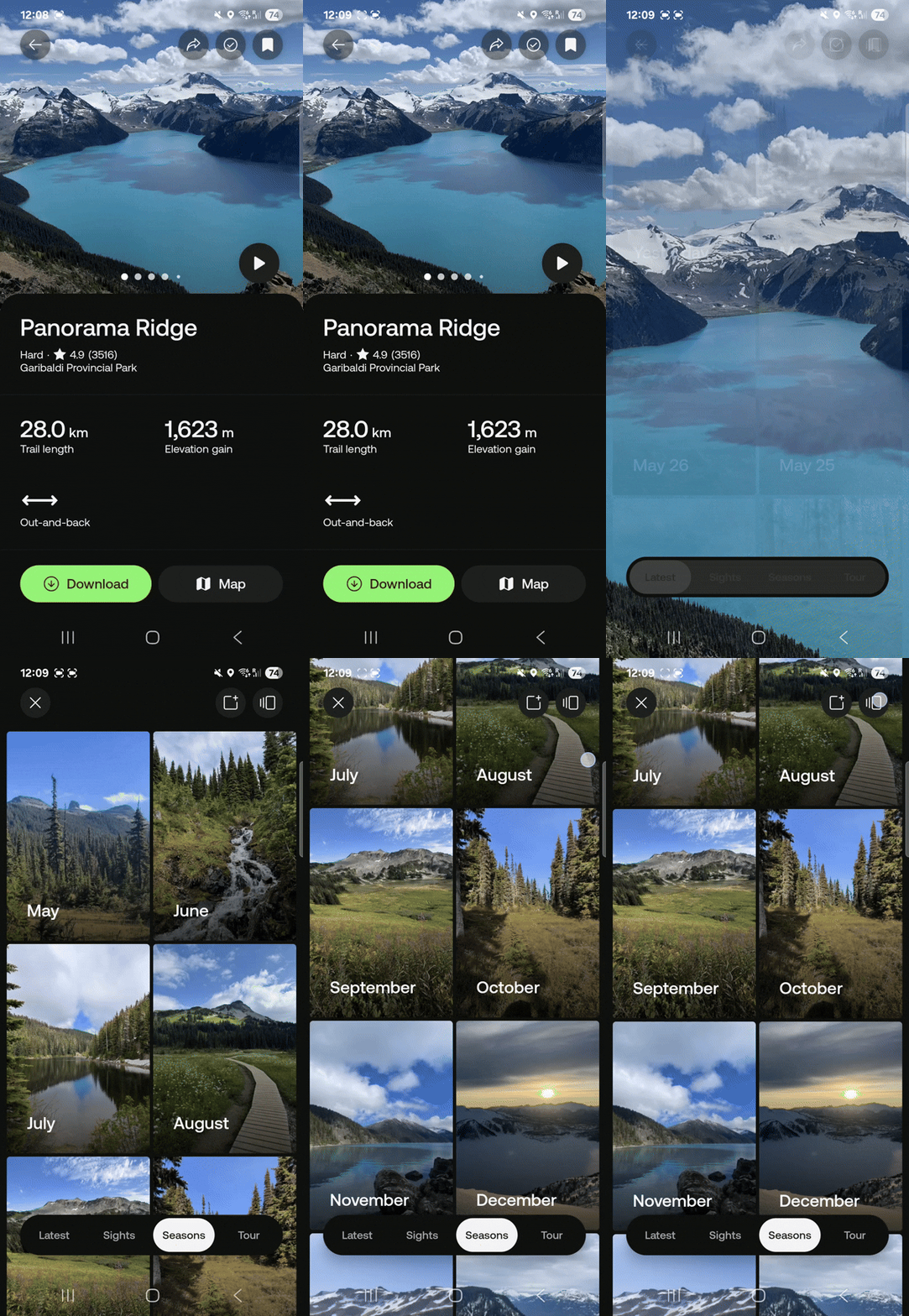
I love using the seasonal photo options as it really gives good insights on how the trail or landscape will look like when I want to go somewhere.
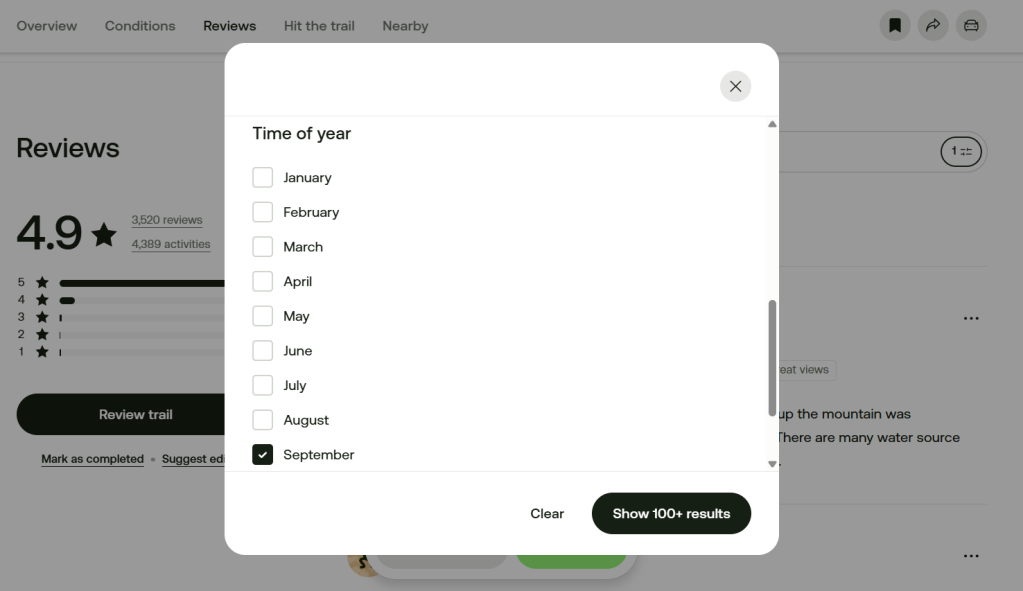
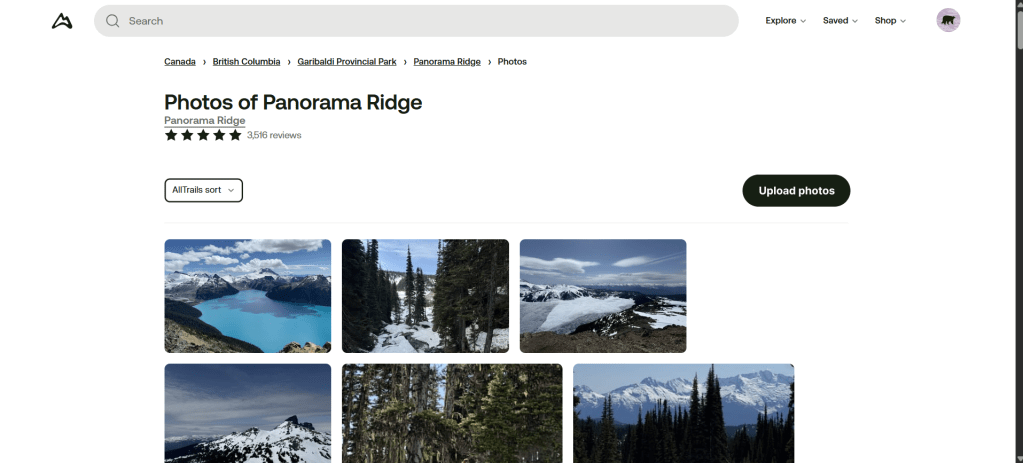
On the desktop version, you can view photos by the time of year, but only when you filter reviews:
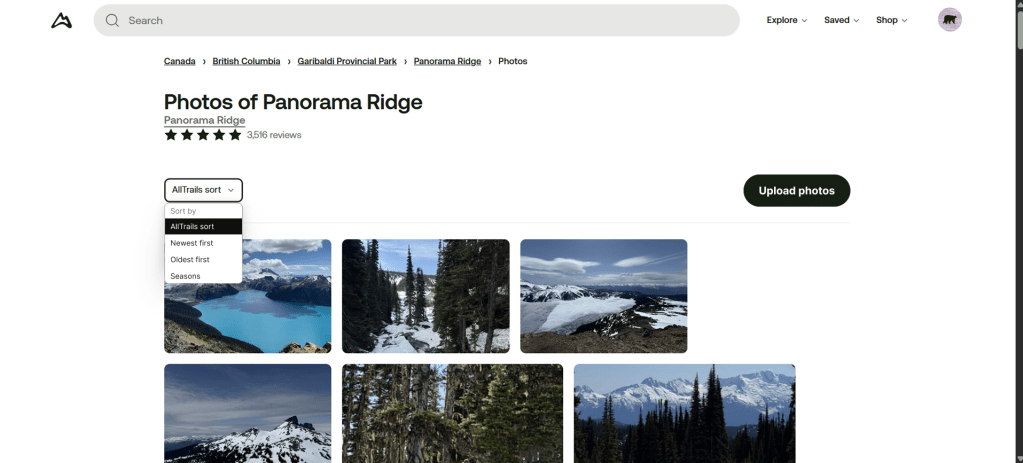
The current filtering system consists of “All Trail sort”, “Newest first”, and “Oldest first”:
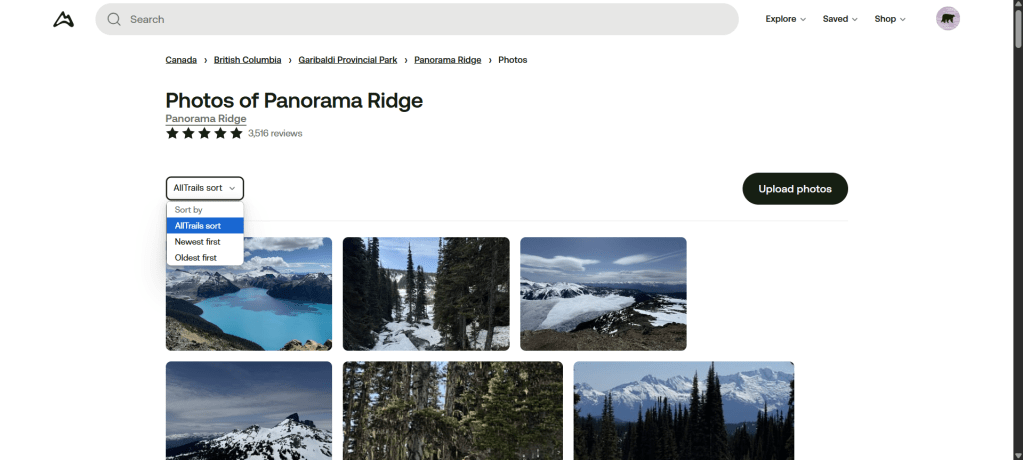
I would like to suggest two small improvements to add the option the view seasonal photos:
1.
Basic filtering view
“Seasons” filter added
1.
Opening of the filter
3.
“Seasons” filter chosen
I’ve also improved a couple of things to stay consistent with AllTrails visual identity:
- I’ve changed the blue background of the filtering options to the dark green black that’s used everywhere else and is AllTrails main colour.
- I’ve also aligned the “Upload photos” CTA with the filtering menu for a better consistency
Next steps:
- Do the same for the “Tour” and “Sights
- Add more gallery options like tiles for example
 Sarah Bousselet